
- Hyderabad's #1 Java Training Institute
Become a Hardware & Networking Expert
PC hardware components, assembly, OS installation, network fundamentals, TCP/IP, LAN/WAN, routers, switches, firewalls, wireless networking & system troubleshooting.
- Duration: 3 Months
- Rating: 4.9 / 5

- SCAN NOW for More Details
Course Curriculum
A structured 3-month program covering Hardware & Networking fundamentals to advanced system assembly, troubleshooting, networking concepts, and system security techniques.
Module 1: Computer Fundamentals & Career Overview
- Career Prospects (Support Specialist, Technician, Engineer)
- Types of Operating Systems
- Introduction to DOS & DOS Commands
Module 2: Hardware Components & Devices
- Identifying Hardware Devices
- Input, Output, Communication & Storage Devices
- Motherboard Components & Slots (ISA, PCI, AGP, PCIe)
- CPU Types, Sockets & Terminology
- Ports & Connectors (USB, SATA, VGA, PS/2, etc.)
- Memory Types (SIMM, DIMM, DDR Series)
- ROM Types & SMPS Connections
Module 3: System Assembly & Configuration
- Branded vs Assembled Systems
- Installing Motherboard & Processor
- Installing RAM, SMPS & Storage Devices
- IDE, SATA & Front Panel Connections
- System Case Types & Setup
Module 4: BIOS, OS Installation & File Systems
- BIOS & CMOS Setup
- POST Process & Booting
- Partitioning (FDISK)
- File Systems (FAT, FAT32, NTFS, etc.)
- OS Installation (Windows & Linux Basics)
- Dual Booting Concepts
Module 5: Troubleshooting & System Security
- Troubleshooting (Beep Codes & Errors)
- Restore Points & System Recovery
- Device Driver Installation
- Windows Updates & Firewall
- Virus Detection & Removal
- CD/DVD Writing & Security Basics
Everything You Need to Launch Your Career
Our Hardware & Networking program is designed to give you strong technical fundamentals and practical skills to build, manage, and troubleshoot computer systems and networks that top companies demand.

Industry-Oriented Curriculum
Crafted with inputs from senior developers at top IT companies, updated quarterly to match market demands.

Hands-on Projects
Build 5+ real-world projects—including e-commerce, REST APIs, and microservices—to showcase to employers.
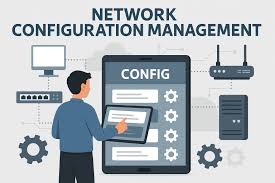
Networking & System Configuration
Understand LAN setup, device connectivity, and system configuration in real scenarios.

Placement Support
Placement assistance with resume building, mock interviews, and career support.
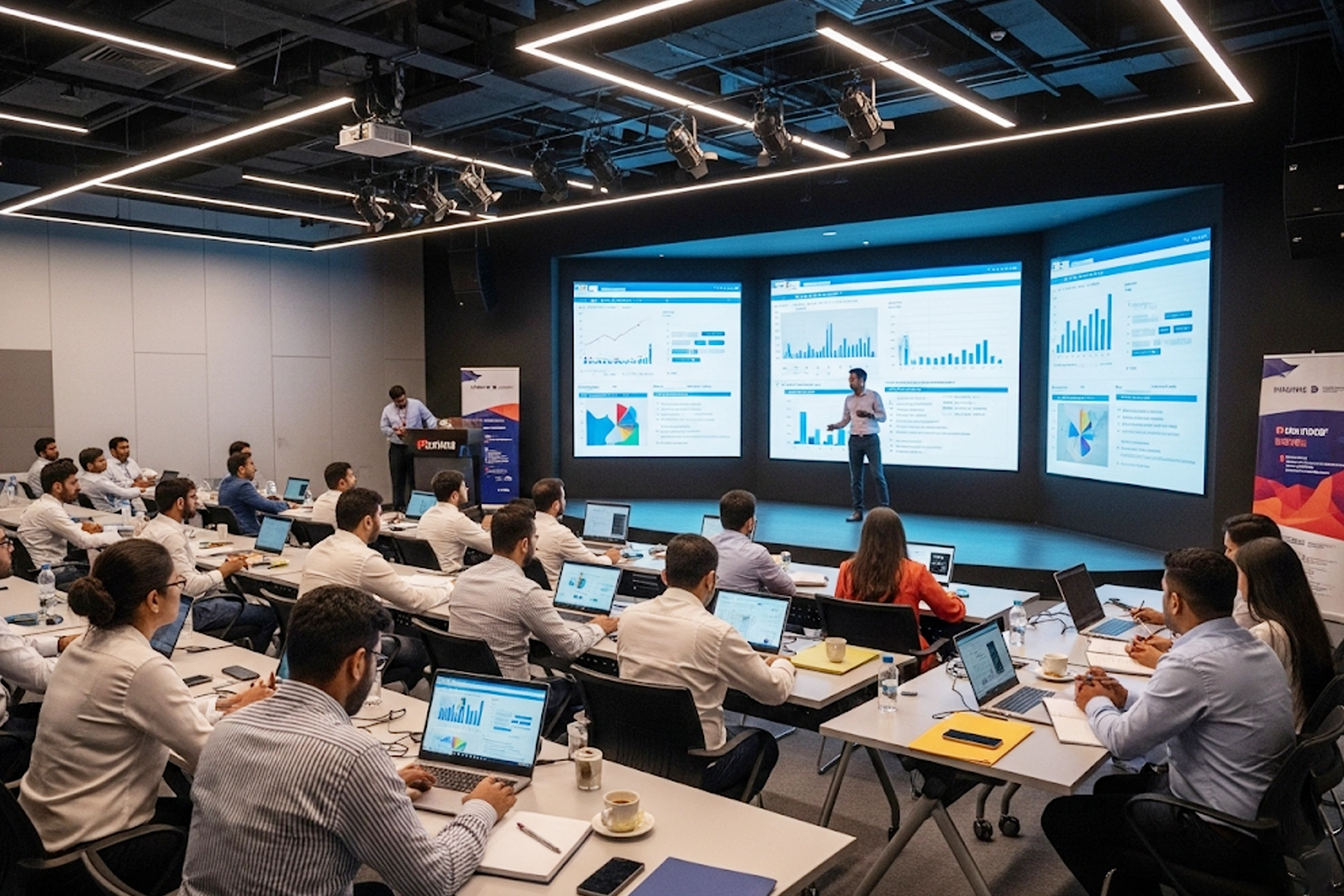
Experienced Trainers
Learn from engineers with 8–15 years of enterprise Java experience at companies like TCS, Infosys, and Wipro.

Recognised Certificate
Earn an industry-recognized APEC Training certificate valued by top companies in Hyderabad.
Technologies You'll Master
A complete Hardware & Networking toolkit covering system assembly, hardware components, OS installation, networking basics, troubleshooting, and system security essentials.

TCP/IP
Switches

Routers
Hardware

Firewalls

Linux

Windows Server

Cisco IOS
Choose Your Learning Mode
Flexible training options to fit your schedule and learning style.

Classroom Training
Learn in a professional training environment with real-time interaction, peer learning, and lab access.
- In-person expert guidance
- Hands-on learning
- Peer interaction
- Focused environment

Online Training
Live instructor-led sessions via Zoom/Google Meet full classroom experience from anywhere in India.
- Learn from anywhere
- Live interactive classes
- Flexible schedule
- Recorded sessions

Weekend Batch
Weekend intensive sessions designed for working professionals and students with busy weekdays.
- Weekend-only classes
- Ideal for professionals
- Fast-track learning
- Flexible pace
Frequently Asked Questions
Got questions? We’ve got answers. If you don’t find what you need, talk to our counsellors.
This course teaches computer hardware, networking fundamentals, system administration, and real-time IT support skills.
Students, freshers, graduates, and working professionals who want to start or grow a career in IT infrastructure.
You will learn computer hardware, LAN/WAN, IP addressing, routing, switching, Windows & Linux administration, and troubleshooting.
Yes, this course starts from basic concepts and is ideal for beginners with no technical background.
APEC provides expert trainers, hands-on practical labs, job-oriented curriculum, and placement support, making it one of the best training institutes in Hyderabad.
The course duration usually ranges from 2 to 4 months, depending on the learning mode.
Yes, we offer classroom-based training in Ameerpet along with online learning options.
Yes, we provide hardware and networking online training in Hyderabad with live interactive sessions.
You can work as a Hardware Engineer, Network Engineer, System Administrator, IT Support Executive, or Desktop Support Engineer.
Yes, you will receive an industry-recognized certificate that enhances your job opportunities.
Ready to Become a Hardware & Networking Expert?
Join thousands of students who transformed their careers with
APEC Training
Your first step is one click away.
You Might Also Like
Data Science with AI & ML
Python, ML, Deep Learning & real-world data projects.
- 6 Months
- Details
Hardware & Networking Course
APEC Provides Best Hardware & Networking Course in Various Fields of Education like for both IT and Non IT Students and Professionals .


Customized ONLINE Classes available.
Attend Free Demo
Everyone uses computers, laptops, mobile internet and iPads these days. This growth in technology has led to growth in the scope of hardware and networking too. There is a huge demand for people trained in this field to work as Hardware Engineers with the knowledge of personal computers and the Windows environment. Many computer resellers and service companies today require certified personnel as staff. This ensures that these businesses are capable of providing high top quality, authorized service for their clients. Our training covers operating systems, PC tune ups, diagnosis and repair, upgradation and maintenance of software and hardware.
- Computer Support Specialist
- PC Maintenance Technician
- Help Desk Technician
- Hardware Engineer
- Types of Operating Systems
- Introduction to DOS, DOS Commands
- Identifying Hardware devices
- Input/Output/Commn./Storage devices
- Identify components of motherboard
- SLOTS (ISA, EISA, PCI, AGP, AMR, PCIE)
- Expansion boards / Cards NIC, Modem
- Multi-user, multi-port serial controller
- SCSI, SATA, USB
- External connectors
- Identifying & connecting Ports
- AT, ATX power ports
- CPU Types of CPUs
- CPU companies, terminology
- SOCKETS AIF, PGA, LGA
- ORTS COM, IDE, FDC, LPT, USB
- BANKS (SIMM -SIMM 32, SIMM 70)
- DIMM (SDR, DDR, DDR2, DDR3)
- SMPS mini molex, moles
- SATA AT & ATX connectors Voltages
- ROM types ROM, PROM, EPROM etc.
- IDE bus Connecting devices
- Hard drive & CDROM jumper settings
- FDC bus Connecting floppy drives
- Front Panel connections
- Branded Vs Assembled systems
- Placing motherboard
- Placing processor in socket
- Placing processor fan
- Types of system cases
- Placing other devices
- IDE & FDC connections
- Front Panel connections
- POST steps
- CMOS Setup Standard & Adv.
- Integrated peripherals
- PC health status
- Introduction to Bootable, Partitions
- Using FDISK
- Drive letters assignment
- Types of File systems
- NTFS, CDFS, HSFS, EXT
- Formatting partitions
- Transferring system files
- Managing hard disks
- Disk manager
- Installation of Operating systems
- Win 98, Win XP, Win 2003,
- Vista, Win 2008
- Introduction to Linux
- Installation of RHEL 4.0
- Linux commands
- S/w installation
- Device drivers installation
- Beep codes
- Numerical/System errors
- Using restore points in Win XP
- Windows Updates
- Firewall Settings
- Virus detection & removal
- CD / DVD Writing
- Password Breaking
Syllabus
CAREER PROSPECTS
- Computer Support Specialist
- PC Maintenance Technician
- Help Desk Technician
- Hardware Engineer
INTRODUCTION TO DOS
- Types of Operating Systems
- Introduction to DOS, DOS Commands
HARDWARE DEVICES
- Identifying Hardware devices
- Input/Output/Commn./Storage devices
- Identify components of motherboard
- SLOTS (ISA, EISA, PCI, AGP, AMR, PCIE)
- Expansion boards / Cards NIC, Modem
- Multi-user, multi-port serial controller
- SCSI, SATA, USB
- External connectors
- Identifying & connecting Ports
- AT, ATX power ports
- CPU Types of CPUs
- CPU companies, terminology
- SOCKETS AIF, PGA, LGA
- ORTS COM, IDE, FDC, LPT, USB
VGA, Sound, SCSI, PS/2, SATA
- BANKS (SIMM -SIMM 32, SIMM 70)
- DIMM (SDR, DDR, DDR2, DDR3)
- SMPS mini molex, moles
- SATA AT & ATX connectors Voltages
- ROM types ROM, PROM, EPROM etc.
- IDE bus Connecting devices
- Hard drive & CDROM jumper settings
- FDC bus Connecting floppy drives
- Front Panel connections
ASSEMBLING
- Branded Vs Assembled systems
- Placing motherboard
- Placing processor in socket
- Placing processor fan
- Types of system cases
- Placing other devices
- IDE & FDC connections
- Front Panel connections
BIOS, CMOS
- POST steps
- CMOS Setup Standard & Adv.
- Integrated peripherals
- PC health status
- Introduction to Bootable, Partitions
- Using FDISK
- Drive letters assignment
- Types of File systems
FAT, FAT 16, FAT 32
- NTFS, CDFS, HSFS, EXT
- Formatting partitions
- Transferring system files
- Managing hard disks
- Disk manager
- Installation of Operating systems
- Win 98, Win XP, Win 2003,
- Vista, Win 2008
DUAL BOOTING
- Introduction to Linux
- Installation of RHEL 4.0
- Linux commands
- S/w installation
- Device drivers installation
TROUBLE SHOOTING
- Beep codes
- Numerical/System errors
- Using restore points in Win XP
SECURING THE SYSTEM
- Windows Updates
- Firewall Settings
- Virus detection & removal
- CD / DVD Writing
- Password Breaking
Best hardware & Networking Training institutes in ameerpet, Computer Training institute for hardware and Networking courses, Hardware and Networking, Institute for hardware and Networking in ameerpet, Best training institutes for hardware comptia, hardware and networking training in hyderabad, hardware and networking online training in hyderabad, hardware and networking online training in ameerpet
FAQ's
This course teaches computer hardware, networking fundamentals, system administration, and real-time IT support skills.
Students, freshers, graduates, and working professionals who want to start or grow a career in IT infrastructure.
You will learn computer hardware, LAN/WAN, IP addressing, routing, switching, Windows & Linux administration, and troubleshooting.
Yes, this course starts from basic concepts and is ideal for beginners with no technical background.
APEC provides expert trainers, hands-on practical labs, job-oriented curriculum, and placement support, making it one of the best training institutes in Hyderabad.
The course duration usually ranges from 2 to 4 months, depending on the learning mode.
Yes, we offer classroom-based training in Ameerpet along with online learning options.
Yes, we provide hardware and networking online training in Hyderabad with live interactive sessions.
You can work as a Hardware Engineer, Network Engineer, System Administrator, IT Support Executive, or Desktop Support Engineer.
Yes, you will receive an industry-recognized certificate that enhances your job opportunities.
Grow Your Career
There’s no shortage of possible career options in IT, and there’s no shortage of opportunities for promotion within specific IT niches. Full Stack Development, Data Science, ML & AI, Digital Marketing, Cloud Computing, Networking and Graphic Design all offer IT career growth and may be just right for you.