
- Hyderabad's #1 Java Training Institute
Become a Power BI Data Analyst
Excel advanced, SQL for analytics, Power BI dashboard creation, DAX calculations, data modelling, business intelligence & real-world report publishing.
- Duration: 3 Months
- Rating: 4.9 / 5

- SCAN NOW for More Details
Everything You Need to Launch Your Career
Our Power BI program is designed to give you practical data analysis skills that top companies demand.

Industry-Oriented Curriculum
Crafted with inputs from senior developers at top IT companies, updated quarterly to match market demands.

Hands-on Projects
Build 5+ real-world projects—including e-commerce, REST APIs, and microservices—to showcase to employers.
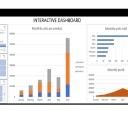
Interactive Dashboard Creation
Design dynamic dashboards to visualize data and drive business insights.

Placement Support
Placement assistance with resume building, mock interviews, and career support.

Experienced Trainers
Learn from engineers with 8–15 years of enterprise Java experience at companies like TCS, Infosys, and Wipro.

Recognised Certificate
Earn an industry-recognized APEC Training certificate valued by top companies in Hyderabad.
Course Curriculum
A structured 3-month program covering Power BI fundamentals to advanced data analytics and reporting.
Module 1: Power BI Fundamentals
- What is Power BI?
- Power BI Architecture & Components
- Power BI Tools & Features
- Installation & Setup of Power BI Desktop
- Getting Started with Power BI
- Importing Data from Various Sources
- Understanding Power BI Interface
- Data Types & Data Transformation
Module 2: Data Modeling
- Introduction to Data Modeling
- Normalization & Schema Selection
- Creating Relationships Between Tables
- Creating Relationships & Cardinality
- Creating Calculated Columns & Measures
Module 3: Power Query & Data Transformation
- Introduction to Power Query Editor
- Basic Data Cleaning & Transformation
- Merging & Appending Queries
- Advanced Data Transformations (Pivot, Unpivot, Fill)
Module 4: DAX & Data Visualization
- Introduction to DAX
- Aggregation Functions (SUM, AVERAGE, COUNT)
- Logical Functions (IF, SWITCH)
- Text Functions (CONCATENATE, LEFT, RIGHT)
- Date & Time Functions
- Filtering & Ranking Functions
- Importance of Data Visualization
- Creating Reports & Dashboards
- Using Built-in Visuals (Tables, Charts, Maps)
- Formatting & Customizing Visuals
- Using Custom Visuals from Power BI Marketplace
Module 5: Advanced Features & Deployment
- Drillthrough & Tooltip Reports
- Bookmarks & Selection Pane
- Creating Interactive Dashboards
- Using AI Insights in Power BI
- Publishing Reports to Power BI Service
- Creating & Managing Workspaces
- Configuring Row-Level Security (RLS)
- Setting Up Data Gateways for On-Premises Data
- Scheduling Automatic Data Refresh
- Real-World Power BI Project
- End-to-End Dashboard Creation
- Connecting Multiple Data Sources
- Implementing Business Intelligence Best Practices
Technologies You'll Master
A complete Power BI toolkit covering data integration, transformation, modeling, and visualization essentials.

DAX

SQL

Excel

Power BI

Azure

Python

Tableau

Power Query
Choose Your Learning Mode
Flexible training options to fit your schedule and learning style.

Classroom Training
Learn in a professional training environment with real-time interaction, peer learning, and lab access.
- In-person expert guidance
- Hands-on learning
- Peer interaction
- Focused environment

Online Training
Live instructor-led sessions via Zoom/Google Meet full classroom experience from anywhere in India.
- Learn from anywhere
- Live interactive classes
- Flexible schedule
- Recorded sessions

Weekend Batch
Weekend intensive sessions designed for working professionals and students with busy weekdays.
- Weekend-only classes
- Ideal for professionals
- Fast-track learning
- Flexible pace
Frequently Asked Questions
Got questions? We’ve got answers. If you don’t find what you need, talk to our counsellors.
A Power BI course in Ameerpet teaches how to analyze and visualize data using Microsoft Power BI. It covers data modeling, DAX, dashboards, reports, and real-time business analytics projects.
Ameerpet is a popular training hub in Hyderabad with experienced trainers and job-oriented institutes. Power BI training in Ameerpet provides hands-on learning, practical projects, and strong career opportunities in data analytics roles.
Yes, Power BI training in Ameerpet is suitable for beginners. Courses usually start from data basics and Excel concepts, making them ideal for freshers and non-technical backgrounds.
A Power BI course in Ameerpet includes Power BI Desktop, data modeling, DAX functions, Power Query, dashboard creation, report publishing, and real-time projects.
Most Power BI training programs in Ameerpet take 1 to 2 months, depending on the syllabus, training mode, and project practice.
Yes, there are many Power BI training institutes in Ameerpet that offer practical training, experienced trainers, real-time projects, and placement assistance.
Anyone with basic computer knowledge can enroll in Power BI training in Ameerpet. Students, graduates, working professionals, and career changers can join.
Yes, most Power BI coaching centres in Ameerpet provide placement support such as resume building, mock interviews, and job assistance.
After completing a Power BI course in Ameerpet, learners can apply for roles such as Power BI Developer, Data Analyst, Business Intelligence Analyst, and Reporting Analyst.
APEC Training offers industry-focused Power BI training in Ameerpet with experienced trainers, hands-on real-time projects, updated curriculum, and placement assistance to help learners become job-ready.
Ready to Become a Power BI Data Analyst?
Join thousands of students who transformed their careers with
APEC Training
Your first step is one click away.
You Might Also Like
Power BI
APEC provides the best Power BI Course in Various Fields of education, including both IT and non-IT students and Professionals.


What is Power BI?
Power BI Architecture & Components
Power BI Tools & Features
Installation & Setup of Power BI Desktop
Importing Data from Various Sources
Understanding Power BI Interface
Data Types & Data Transformation
Creating Relationships Between Tables
Introduction to Data Modeling
Normalization & Schema Selection
Creating Relationships & Cardinality
Creating Calculated Columns & Measures
Data Transformation with Power Query
Introduction to Power Query Editor
Basic Data Cleaning & Transformation
Merging & Appending Queries
Advanced Data Transformations (Pivot, Unpivot, Fill)
Introduction to DAX
Common DAX Functions:
Aggregation Functions (SUM, AVERAGE, COUNT)
Logical Functions (IF, SWITCH)
Text Functions (CONCATENATE, LEFT, RIGHT)
Date & Time Functions
Filtering & Ranking Functions
Importance of Data Visualization
Creating Reports & Dashboards
Using Built-in Visuals (Tables, Charts, Maps)
Formatting & Customizing Visuals
Using Custom Visuals from Power BI Marketplace
Drillthrough & Tooltip Reports
Bookmarks & Selection Pane
Creating Interactive Dashboards
Using AI Insights in Power BI
Publishing Reports to Power BI Service
Creating & Managing Workspaces
Configuring Row-Level Security (RLS)
Setting Up Data Gateways for On-Premises Data
Scheduling Automatic Data Refresh
End-to-End Dashboard Creation
Connecting Multiple Data Sources
Implementing Business Intelligence Best Practices
Syllabus
Introduction to Power BI
What is Power BI?
Power BI Architecture & Components
Power BI Tools & Features
Installation & Setup of Power BI Desktop
Getting Started with Power BI
Importing Data from Various Sources
Understanding Power BI Interface
Data Types & Data Transformation
Creating Relationships Between Tables
Data Modeling in Power BI
Introduction to Data Modeling
Normalization & Schema Selection
Creating Relationships & Cardinality
Creating Calculated Columns & Measures
Data Transformation with Power Query
Introduction to Power Query Editor
Basic Data Cleaning & Transformation
Merging & Appending Queries
Advanced Data Transformations (Pivot, Unpivot, Fill)
DAX (Data Analysis Expressions)
Introduction to DAX
Common DAX Functions:
Aggregation Functions (SUM, AVERAGE, COUNT)
Logical Functions (IF, SWITCH)
Text Functions (CONCATENATE, LEFT, RIGHT)
Date & Time Functions
Filtering & Ranking Functions
Data Visualization in Power BI
Importance of Data Visualization
Creating Reports & Dashboards
Using Built-in Visuals (Tables, Charts, Maps)
Formatting & Customizing Visuals
Using Custom Visuals from Power BI Marketplace
Advanced Power BI Features
Drillthrough & Tooltip Reports
Bookmarks & Selection Pane
Creating Interactive Dashboards
Using AI Insights in Power BI
Power BI Service & Deployment
Publishing Reports to Power BI Service
Creating & Managing Workspaces
Configuring Row-Level Security (RLS)
Setting Up Data Gateways for On-Premises Data
Scheduling Automatic Data Refresh
Real-World Power BI Project
End-to-End Dashboard Creation
Connecting Multiple Data Sources
Implementing Business Intelligence Best Practices
FAQ's
A Power BI course in Ameerpet teaches how to analyze and visualize data using Microsoft Power BI. It covers data modeling, DAX, dashboards, reports, and real-time business analytics projects.
Ameerpet is a popular training hub in Hyderabad with experienced trainers and job-oriented institutes. Power BI training in Ameerpet provides hands-on learning, practical projects, and strong career opportunities in data analytics roles.
Yes, Power BI training in Ameerpet is suitable for beginners. Courses usually start from data basics and Excel concepts, making them ideal for freshers and non-technical backgrounds.
A Power BI course in Ameerpet includes Power BI Desktop, data modeling, DAX functions, Power Query, dashboard creation, report publishing, and real-time projects.
Most Power BI training programs in Ameerpet take 1 to 2 months, depending on the syllabus, training mode, and project practice.
Yes, there are many Power BI training institutes in Ameerpet that offer practical training, experienced trainers, real-time projects, and placement assistance.
Anyone with basic computer knowledge can enroll in Power BI training in Ameerpet. Students, graduates, working professionals, and career changers can join.
Yes, most Power BI coaching centres in Ameerpet provide placement support such as resume building, mock interviews, and job assistance.
After completing a Power BI course in Ameerpet, learners can apply for roles such as Power BI Developer, Data Analyst, Business Intelligence Analyst, and Reporting Analyst.
APEC Training offers industry-focused Power BI training in Ameerpet with experienced trainers, hands-on real-time projects, updated curriculum, and placement assistance to help learners become job-ready.
Grow Your Career
There’s no shortage of possible career options in IT, and there’s no shortage of opportunities for promotion within specific IT niches. Full Stack Development, Data Science, ML & AI, Digital Marketing, Cloud Computing, Networking and Graphic Design all offer IT career growth and may be just right for you.