
Home / All Courses / Web Designer
- Hyderabad's #1 Web Design Training Institute
Become a Web Designer
Master Web Design, UI/UX, HTML, CSS & more with hands-on projects and placement assistance. Build stunning websites from day one.
- Duration: 2 Months
- Rating: 4.9 / 5

- SCAN NOW for More Details
Course Curriculum
A structured 3-month program covering everything from fundamentals to advanced enterprise development.
Module 1: Web Design Fundamentals
- Introduction to Web Designing
- How Websites Work
- Basics of Internet & Browsers
- Web Standards & Technologies
- Planning a Website
Module 2: HTML & CSS
- HTML Basics
- Tags, Elements & Attributes
- Forms & Tables
- CSS Basics
- Styling, Colors, Fonts
- Box Model & Layout
Module 3: Responsive Design & Frameworks
- Responsive Web Design
- Media Queries
- Mobile-Friendly Design
- Bootstrap Framework
- Grid System
Module 4: JavaScript Basics
- Introduction to JavaScript
- Variables & Data Types
- Functions & Events
- DOM Manipulation
- Form Validation
Module 5: Projects & Website Deployment
- Creating Real-time Websites
- UI/UX Best Practices
- Website Optimization
- Hosting & Domain Setup
- Live Project Work
Everything You Need to Launch Your Career
Our Web Design program is designed to give you practical skills that top companies demand.

Industry-Oriented Curriculum
Crafted with inputs from senior developers at top IT companies, updated quarterly to match market demands.

Hands-on Projects
Build 5+ real-world projects—including e-commerce, REST APIs, and microservices—to showcase to employers.

UI/UX Design & Prototyping
Create wireframes and interactive prototypes using modern design tools.

Placement Support
Placement assistance with resume building, mock interviews, and career support.

Experienced Trainers
Learn from engineers with 8–15 years of enterprise Java experience at companies like TCS, Infosys, and Wipro.
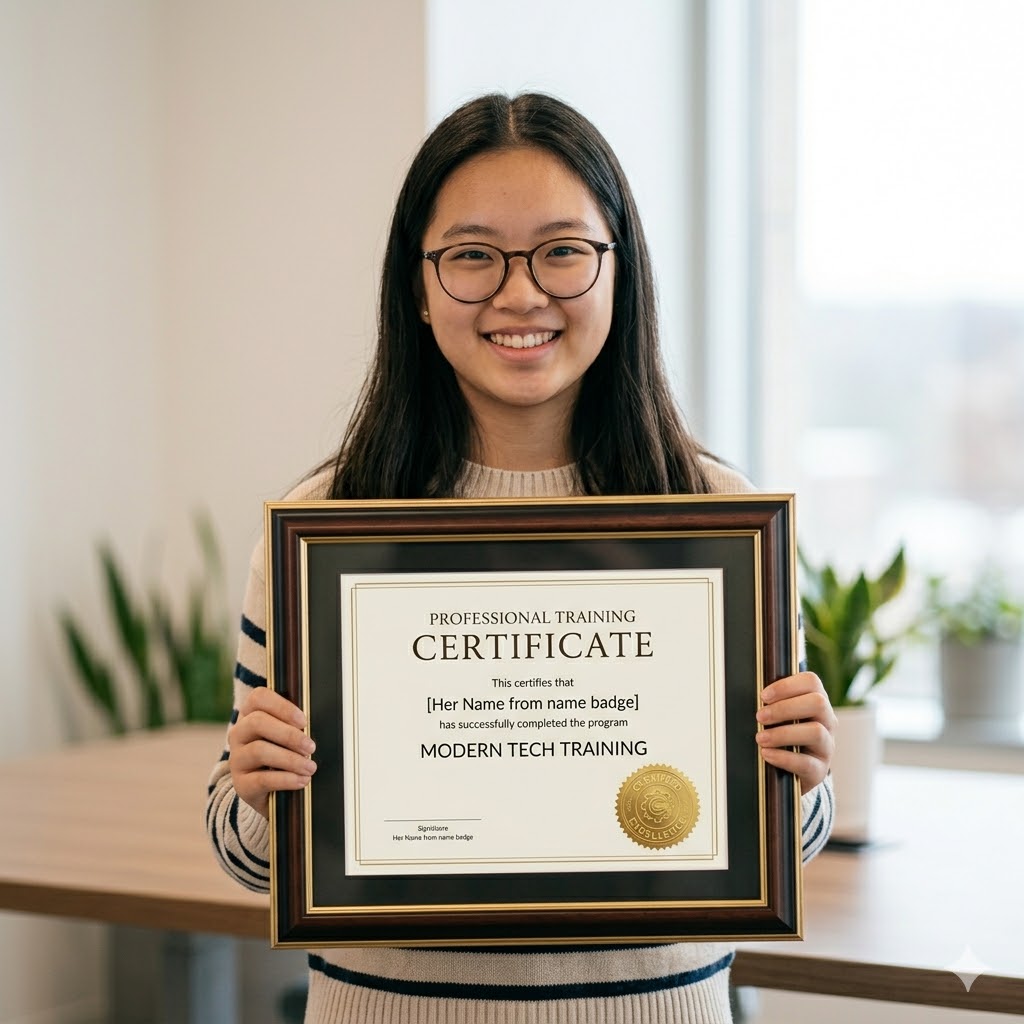
Recognised Certificate
Earn an industry-recognized APEC Training certificate valued by top companies in Hyderabad.
Technologies You'll Master
A complete Web Design toolkit covering UI/UX, layouts, typography, color theory, and responsive design essentials.

Flexbox

Bootstrap

CSS3

HTML5

Figma

JavaScript

SASS
Choose Your Learning Mode
Flexible training options to fit your schedule and learning style.

Classroom Training
Learn in a professional training environment with real-time interaction, peer learning, and lab access.
- In-person expert guidance
- Hands-on learning
- Peer interaction
- Focused environment

Online Training
Live instructor-led sessions via Zoom/Google Meet full classroom experience from anywhere in India.
- Learn from anywhere
- Live interactive classes
- Flexible schedule
- Recorded sessions

Weekend Batch
Weekend intensive sessions designed for working professionals and students with busy weekdays.
- Weekend-only classes
- Ideal for professionals
- Fast-track learning
- Flexible pace
Frequently Asked Questions
Got questions? We’ve got answers. If you don’t find what you need, talk to our counsellors.
A web designing course in Hyderabad teaches how to design modern websites using HTML, CSS, JavaScript, responsive design, UI basics, and real-time projects. It helps learners build professional websites from scratch.
Hyderabad is a major IT hub with strong demand for skilled web designers. A web designing course in Hyderabad provides industry-oriented training, practical exposure, and better job opportunities in IT companies and startups.
Yes, web designing training in Hyderabad is suitable for beginners. Most courses start from basics and do not require prior coding knowledge, making them ideal for freshers and non-IT backgrounds.
Web designing training in Hyderabad typically includes HTML, CSS, JavaScript, responsive web design, UI concepts, website layouts, basic SEO knowledge, and hands-on projects.
A web designing course in Hyderabad usually takes 2 to 4 months, depending on the course syllabus, training mode, and project practice.
Anyone with basic computer knowledge can join web designing training in Hyderabad. Students, graduates, working professionals, and career changers can enroll.
Yes, there are many web designing training institutes in Hyderabad that offer practical training, experienced faculty, live projects, and placement assistance. Choosing an institute with hands-on learning is important.
Yes, most web designing training institutes in Hyderabad provide placement support such as resume preparation, mock interviews, and job assistance.
After completing a web designing course in Hyderabad, learners can apply for roles such as Web Designer, UI Designer, Front-End Developer, and Junior Web Developer.
APEC Training offers practical web designing training in Hyderabad with experienced trainers, real-time projects, updated curriculum, and placement assistance to help students become job-ready.
Ready to Become a Web Designer?
Join thousands of students who transformed their careers with
APEC Training
Your first step is one click away.
You Might Also Like
Web Design
APEC Provides Best Web Design Course in Various Fields of Education like for both IT and Non IT Students and Professionals .


Customized ONLINE Classes available.
Attend Free Demo
Web Designing training is very popular these days, as it offers a promising career as web solutions are applied in industries, business, education and public sector. It is the design of web pages, websites and web applications used by companies to promote their business and corporate agencies to market several products to the customers. Most of the companies wishing to create their own web sites look for skilled and qualified web designers. APEC offers you with affordable web designing course fees. Our course helps the student learn various web design services that include need analysis, solution designing, web content writing, web content planning, graphic designing, designing Flash, HTML coding and Java scripting.
Web designing can be the right option for those having a flair for creating a design flow A web designer can be absorbed in different fields such as advertising agencies, publishing, audio-visual media, design studios, printers and typesetters, manufacturers and department stores, marketing firms, exhibits and displays and educational institutes and libraries.
- Web Designer
- Web Developer
- Web Programmer
- Content Developer
- Content Manager
- Content Editor
- Freelancer
- Introduction to Web
- Designing
- PHOTOSHOP
- Vector Graphic v/s Raster Graphics
- Photoshop Interface, Resolution
- Color modes, Rules, Grids, Guides
- Tools-Selection, Crop, Slice, Type, Drawing
- Painting, Retouching, Navigation
- Annotation, Measurement
- Layers
- Palettes, Group, Link, Effects, Style
- Smart Objects, Smart Filters
- Design Logos, Banners
- Save/Print Image
- Filters, Web Layouts
- Masking Layer, Vector, Clipping
- Gradients, Actions, Animated GIF files
- Introduction to 2d
- 2d Vs 3d Animation
- Tools- Selection, Crop, Slice, Type, Drawing
- Painting, Retouching, Navigation
- Annotation, Measurement
- Property Inspector
- Rules, Grids & Guides
- Layers, Timeline
- Frame By Frame Animation
- Motion/Shape Tweening
- Add Motion Guide
- Symbols, Movie Clip/Button/Graphic
- Picture/Text Morph, Masking
- Text Effects, Cartoon Animation
- Action Script, Filters
- Flash Banners, Web Layouts
- Tite Effects, Logo Animations
- Menu Bars
- Introduction to HTML, Web Page
- Website, URL, Domain, Hosting
- Static Pages v/s Dynamic Pages
- Introduction to HTML Tags
- Text Properties, Multimedia Tags.
- Linking Tag, List Properties
- Tables, Frames & Forms
- New Media Tags( Audio, Video)
- New Mark-up Elements
- Address, Article, Base, Figure
- Details, Header, Nav, Footer, Section Tags
- Canvas and SVG Tags
- Form Input Tags
- Email, Color, Number, Date, URL
- New Form Attributes, Web Storage
- HTML5 Geo Location, Drag & Drop
- Meta Tags
- Style Sheets, Syntax
- Background Properties
- Text Properties, List Properties
- Hyperlink Tag Properties
- Psuedo Classes, Psuedo Elements
- Colors, Gradients
- Multi Column Layout, Media Queries
- Shadow Effects, Border Properties
- Transformation ( 2D , 3D)
- Transitions, Animations
- Introduction, Uses, Syntax
- Variables, Operators
- Conditions, Loops, Switch
- Functions ( String , Date, Math )
- User Defined Functions
- Browser Compatibility
- Events, Cookies, Dialog Boxes.
- Page Redirection, Form Validation
- Error Handling, Regular Expressions
- Introduction, Importance of PHP
- Web Architecture, Web Server
- Install & Configure PHP, Apache
- MySQL, LAMP, WAMP, XAMPP, MAMP
- Data types, Variables, Operators
- Tags, Comments, PHP.ini Settings
- Constants Magic, Pre/User Defined
- Conditional Statements
- Loops, Functions
- Recursive functions, String Functions
- Include & Require Statements
- Date, Time, Math
- Arrays, Types, Array Functions
- PHP Forms, Form Submit
- Get & Post Methods
- Dreamweaver Interface
- Create Web Page Layout
- Views Code, Design, Split
- Panels, Rulers, Grids
- Common Panel Hyperlink, Email lnk
- Named Anchor, Horizontal Rule, Table
- Insert Div Tag, Placeholder, Rollover
- Hotspot Rectangle, Oval, Polygon
- Script, Date, Comment, Head
- Media SWF, FLA
- Insert Div Tag, Draw Ap Div
- Spry Menu Bar, Spry Accordion
- Tabbed Panels, Collapsible Panel
- Table Row/Column, Iframe, Frames
- Forms Text / Hidden Field/Checkbox, Radio Button
- Select List, Jump Menu, Image Field
- File Field, Button, Label, Field set
- DWT, Make / Make Nested Template
- Region-Editable, Spry Validation
- Optional, Repeating, Repeating Table
- Browser Compatibility
- Testing Site in Different Browsers
Syllabus
CERTIFYING BODY: Adobe Zend Technologies
CAREER PROSPECTS
Web designing can be the right option for those having a flair for creating a design flow A web designer can be absorbed in different fields such as advertising agencies, publishing, audio-visual media, design studios, printers and typesetters, manufacturers and department stores, marketing firms, exhibits and displays and educational institutes and libraries.
- Web Designer
- Web Developer
- Web Programmer
- Content Developer
- Content Manager
- Content Editor
- Freelancer
SYLLABUS:
- Introduction to Web
- Designing
- PHOTOSHOP
- Vector Graphic v/s Raster Graphics
- Photoshop Interface, Resolution
- Color modes, Rules, Grids, Guides
- Tools-Selection, Crop, Slice, Type, Drawing
- Painting, Retouching, Navigation
- Annotation, Measurement
- Layers
- Palettes, Group, Link, Effects, Style
- Smart Objects, Smart Filters
- Design Logos, Banners
- Save/Print Image
- Filters, Web Layouts
- Masking Layer, Vector, Clipping
- Gradients, Actions, Animated GIF files
FLASH
- Introduction to 2d
- 2d Vs 3d Animation
- Tools- Selection, Crop, Slice, Type, Drawing
- Painting, Retouching, Navigation
- Annotation, Measurement
- Property Inspector
- Rules, Grids & Guides
- Layers, Timeline
- Frame By Frame Animation
- Motion/Shape Tweening
- Add Motion Guide
- Symbols, Movie Clip/Button/Graphic
- Picture/Text Morph, Masking
- Text Effects, Cartoon Animation
- Action Script, Filters
- Flash Banners, Web Layouts
- Tite Effects, Logo Animations
- Menu Bars
HTML 5
- Introduction to HTML, Web Page
- Website, URL, Domain, Hosting
- Static Pages v/s Dynamic Pages
- Introduction to HTML Tags
- Text Properties, Multimedia Tags.
- Linking Tag, List Properties
- Tables, Frames & Forms
- New Media Tags( Audio, Video)
- New Mark-up Elements
- Address, Article, Base, Figure
- Details, Header, Nav, Footer, Section Tags
- Canvas and SVG Tags
- Form Input Tags
- Email, Color, Number, Date, URL
- New Form Attributes, Web Storage
- HTML5 Geo Location, Drag & Drop
- Meta Tags
CSS 3
- Style Sheets, Syntax
- Background Properties
- Text Properties, List Properties
- Hyperlink Tag Properties
- Psuedo Classes, Psuedo Elements
- Colors, Gradients
- Multi Column Layout, Media Queries
- Shadow Effects, Border Properties
- Transformation ( 2D , 3D)
- Transitions, Animations
JAVASCRIPT
- Introduction, Uses, Syntax
- Variables, Operators
- Conditions, Loops, Switch
- Functions ( String , Date, Math )
- User Defined Functions
- Browser Compatibility
- Events, Cookies, Dialog Boxes.
- Page Redirection, Form Validation
- Error Handling, Regular Expressions
PHP
- Introduction, Importance of PHP
- Web Architecture, Web Server
- Install & Configure PHP, Apache
- MySQL, LAMP, WAMP, XAMPP, MAMP
- Data types, Variables, Operators
- Tags, Comments, PHP.ini Settings
- Constants Magic, Pre/User Defined
- Conditional Statements
- Loops, Functions
- Recursive functions, String Functions
- Include & Require Statements
- Date, Time, Math
- Arrays, Types, Array Functions
- PHP Forms, Form Submit
- Get & Post Methods
DREAMWEAVER
- Dreamweaver Interface
- Create Web Page Layout
- Views Code, Design, Split
- Panels, Rulers, Grids
- Common Panel Hyperlink, Email lnk
- Named Anchor, Horizontal Rule, Table
- Insert Div Tag, Placeholder, Rollover
- Hotspot Rectangle, Oval, Polygon
- Script, Date, Comment, Head
- Media SWF, FLA
- Insert Div Tag, Draw Ap Div
- Spry Menu Bar, Spry Accordion
- Tabbed Panels, Collapsible Panel
- Table Row/Column, Iframe, Frames
- Forms Text / Hidden Field/Checkbox, Radio Button
- Select List, Jump Menu, Image Field
- File Field, Button, Label, Field set
- DWT, Make / Make Nested Template
- Region-Editable, Spry Validation
- Optional, Repeating, Repeating Table
- Browser Compatibility
- Testing Site in Different Browsers
FAQ's
A web designing course in Hyderabad teaches how to design modern websites using HTML, CSS, JavaScript, responsive design, UI basics, and real-time projects. It helps learners build professional websites from scratch.
Hyderabad is a major IT hub with strong demand for skilled web designers. A web designing course in Hyderabad provides industry-oriented training, practical exposure, and better job opportunities in IT companies and startups.
Yes, web designing training in Hyderabad is suitable for beginners. Most courses start from basics and do not require prior coding knowledge, making them ideal for freshers and non-IT backgrounds.
Web designing training in Hyderabad typically includes HTML, CSS, JavaScript, responsive web design, UI concepts, website layouts, basic SEO knowledge, and hands-on projects.
A web designing course in Hyderabad usually takes 2 to 4 months, depending on the course syllabus, training mode, and project practice.
Anyone with basic computer knowledge can join web designing training in Hyderabad. Students, graduates, working professionals, and career changers can enroll.
Yes, there are many web designing training institutes in Hyderabad that offer practical training, experienced faculty, live projects, and placement assistance. Choosing an institute with hands-on learning is important.
Yes, most web designing training institutes in Hyderabad provide placement support such as resume preparation, mock interviews, and job assistance.
After completing a web designing course in Hyderabad, learners can apply for roles such as Web Designer, UI Designer, Front-End Developer, and Junior Web Developer.
APEC Training offers practical web designing training in Hyderabad with experienced trainers, real-time projects, updated curriculum, and placement assistance to help students become job-ready.
Grow Your Career
There’s no shortage of possible career options in IT, and there’s no shortage of opportunities for promotion within specific IT niches. Full Stack Development, Data Science, ML & AI, Digital Marketing, Cloud Computing, Networking and Graphic Design all offer IT career growth and may be just right for you.